Single Table Databases
What is a database?
A Database is an organised collection of data
A database is made up of either one or multiple tables which are made up of fields and records to organise how it stores data
It allows easy storage, retrieval, and management of information
A database is useful when working with large amounts of data, databases are stored on secondary storage
A database is often stored on remote servers so multiple users can access it at the same time, useful for online systems
Data can be sorted and searched efficiently, making use of more advanced structures
They are more secure than text files
Fields & Records
Fields & records
What are fields & records?
A field is one piece of information relating to one person, item or object
A field is represented in a database by a column,
A record is a collection of fields relating to one person, item or object
A record is represented in a database by a row
Text files
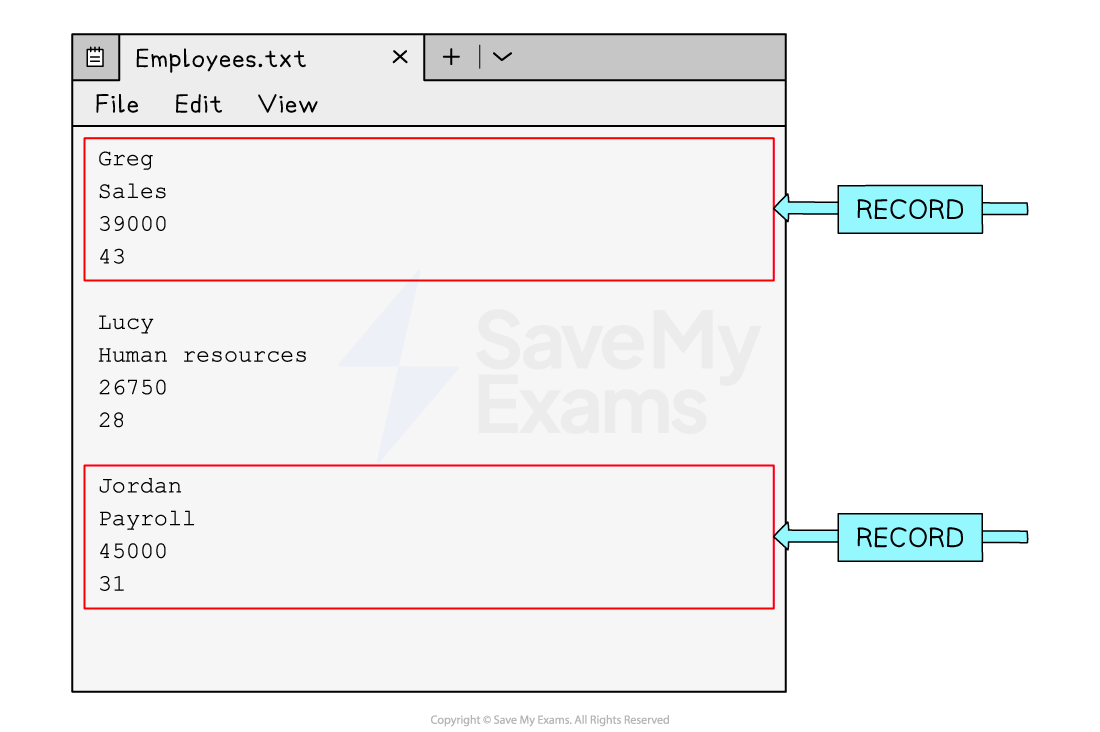
A text file is useful when working with small amounts of data, text files are stored on secondary storage and 'read' into a program when being used
They are used to store information when the application is closed
Each entry is stored on a new line or separated with a special identifier, for example, a comma (',')
It can be difficult in text files to know where a record begins and ends
Validation
Validation
When a table is created, validation rules can be assigned to the different fields
A validation rule controls what data can be entered into that field
There are different types of validation checks used to limit what data can be entered into each field
The validation checks that are used are the same as those that appear in section 7: Algorithm Design & Problem-Solving
Type | Description |
|---|---|
Length Check | This type of validation checks the number of characters that have been entered into a field. For example, you might make phone numbers entered have to be eleven characters long |
Format Check | This type of validation checks data entered meets an exact format. For example, a product code might have to be two letters followed by five numbers |
Range Check | A range check will check the number entered is within a specific range. For example, the age of a dog would be between 0 - 40. Any other number would be disallowed |
Presence Check | A presence check can be added to fields which cannot be left blank |
Type Check | A type check will allow data with a specific data type to be entered into a field. For example, if text was entered into a field which is supposed to contain the date of birth of a person it would not be allowed |
Check Digits | Check digit validation is a process used to verify the accuracy of numbers such as credit card numbers. A check digit is a single digit added to the end of the number, which is calculated based on a specific algorithm applied to the other digits in the number. When the data is re-entered the same algorithm can be applied, and if it produces a different result the code is incorrect |
Data types
Data types
What is a data type?
A data type is the type of data that can be held in a field and is defined when designing a table
Examples of common datatypes are:
Integer - whole number
Real - decimal number
Text/alphanumeric - text data
Character - single
Date/Time
Boolean - true or false values
In the table cars below, the following datatypes would be used:
car_id: integer
make: text/alphanumeric
model: text/alphanumeric
colour: text/alphanumeric
price: real
cars
car_id | make | model | colour | price |
|---|---|---|---|---|
1 | Peugeot | 2008 | Red | 24950 |
2 | Mazda | MX5 | Blue | 17995 |
3 | Citroen | DS4 | Black | 21450 |
4 | Ford | Puma | White | 19500 |