Representing Images
Bitmap Images
Bitmap Images
What is a bitmap?
A bitmap image is made up of squares called pixels
A pixel is the smallest element of a bitmap image
Each pixel is stored as a binary code
Binary codes are unique to the colour in each pixel
A typical example of a bitmap image is a photograph
The more colours and more detail in the image, the higher the quality of the image and the more binary that needs to be stored
Resolution & Colour Depth
Resolution & Colour Depth
What is resolution?
Resolution is the total number of pixels that make up a bitmap image
It is calculated by multiplying the image's width and height in pixels
In general, higher resolution means more detail and better image quality
Display resolution is often described by the vertical pixel count, for example:
Computer monitors: 1440p has 1440 pixels vertically (2560×1440), while 4K has 2160 pixels vertically (3840×2160)
The "4K" name comes from its horizontal resolution of roughly 4,000 pixels
TVs: HD channels are 1080p (1080 pixels vertically), while UHD/4K channels are 2160p (2160 pixels vertically, or 3840×2160)
YouTube: the quality selector lets you choose playback resolution from 144p (144 pixels vertically) up to 4K (2160p)
What is colour depth?
Colour depth is the number of bits stored per pixel in a bitmap image
The colour depth is dependent on the number of colours needed in the image
In general, the higher the colour depth the more detail in the image (higher quality)
In a black & white image the colour depth would be 1, meaning 1 bit is enough to create a unique binary code for each colour in the image (1=white, 0=black)

In an image with a colour depth of 2, you would have 00, 01, 10 & 11 available binary codes, so 4 colours

As colour depth increases, so does the amount of colours available in an image
The amount of colours can be calculated as 2n (n = colour depth)
Colour Depth | Amount of Colours |
|---|---|
1 bit | 2 (B&W) |
2 bit | 4 |
4 bit | 16 |
8 bit | 256 |
24 bit | 16,777,216 (True Colour) |
What is the impact of resolution and colour depth?
As the resolution and/or colour depth increases, the bigger the size of the file becomes on secondary storage
The higher the resolution, the more pixels are in the image, the more bits are stored
The higher the colour depth, the more bits per pixel are stored
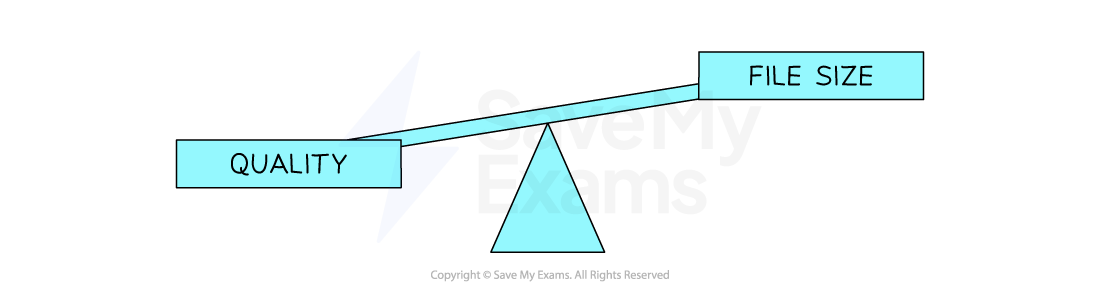
Striking a balance between quality and file size is always a consideration