Language of Functions
Introduction to Functionsvideo
Introduction to functions
What is a mapping?
A mapping takes an 'input' from one set of values to an 'output' in another
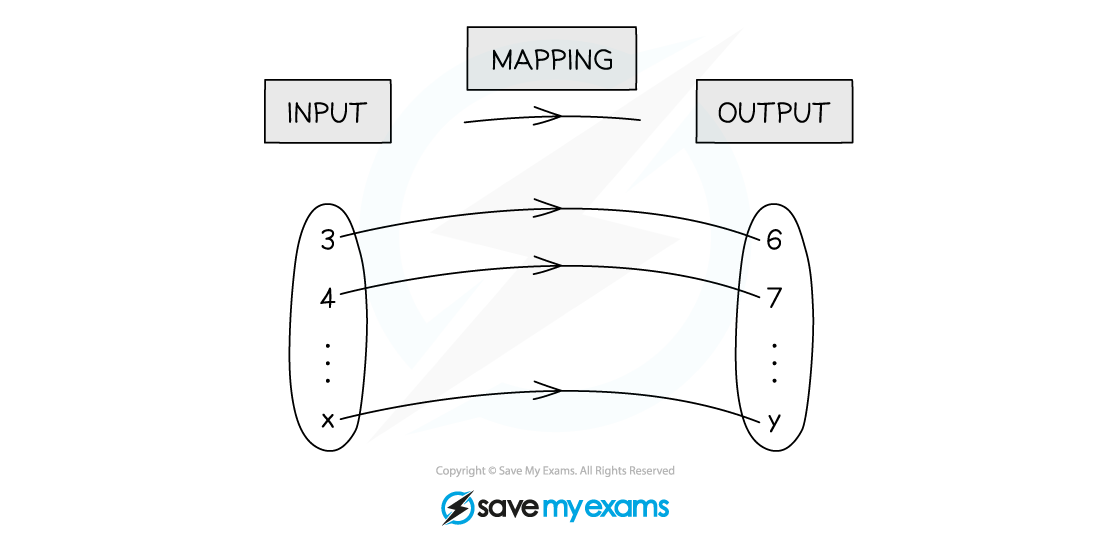
Mappings can be
'many-one' (many 'input' values map to one 'output' value)
'one-one' (one 'input' value maps to one 'output' value)
You may also come across 'many-many' and 'one-many' functions
What is a function?
A function is a mapping where every 'input' value maps to a single 'output'
Therefore only many-one and one-one mappings are functions
What notation is used for functions?
Functions are denoted by , etc
e.g.
These would be pronounced as 'f of x', 'g of x', etc
There is an alternative notation
e.g.
Which may be pronounced 'the function f maps x to x-squared minus three x plus two'
How does a function work?
A function has an input and output
Whatever goes in the bracket (instead of ) with f, replaces the on the other side
This is the input
If the input is known, the output can be calculated
For example, given the function
If the output is known, an equation can be formed and solved to find the input
For example, given the function
If , the equation can be formed
Solving this equation gives an input of 7
Domain & Range
Domain & range
What is the domain of a function?
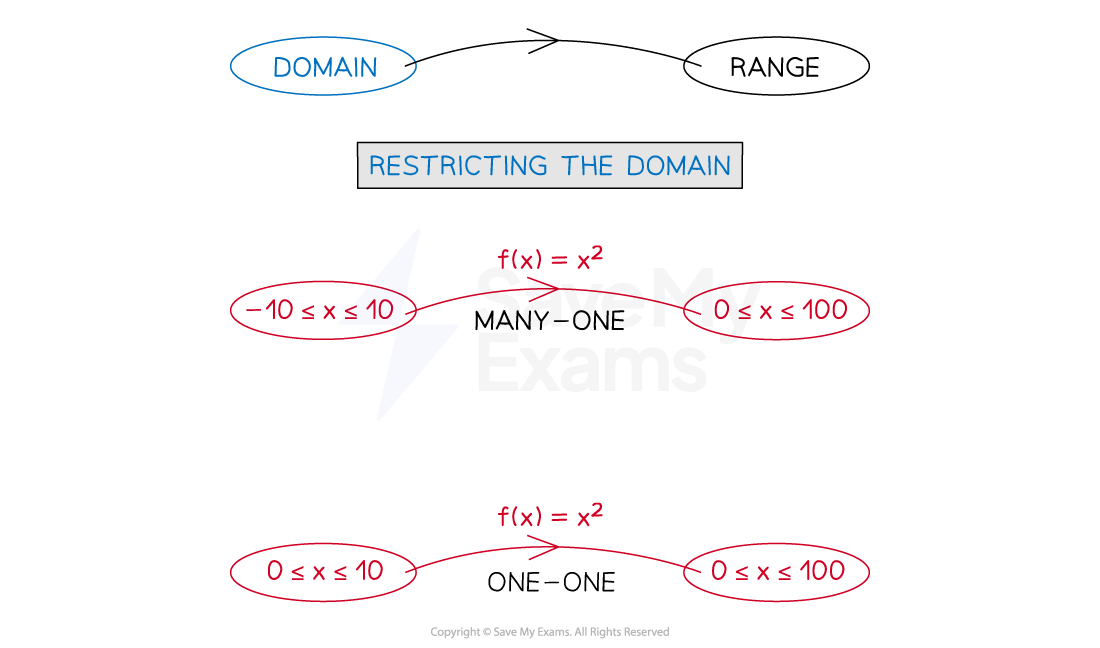
The domain of a function is the set of values that are allowed to be the ‘input’
A function is only fully defined once its domain has been stated
If a domain is not stated then it is assumed that the domain is the largest set of possible values
e.g. the largest set of possible values for the function would be
Restrictions on a domain can turn many-one functions into one-one functions
What is the range of a function?
The range of a function is the set of values of all possible ‘outputs’
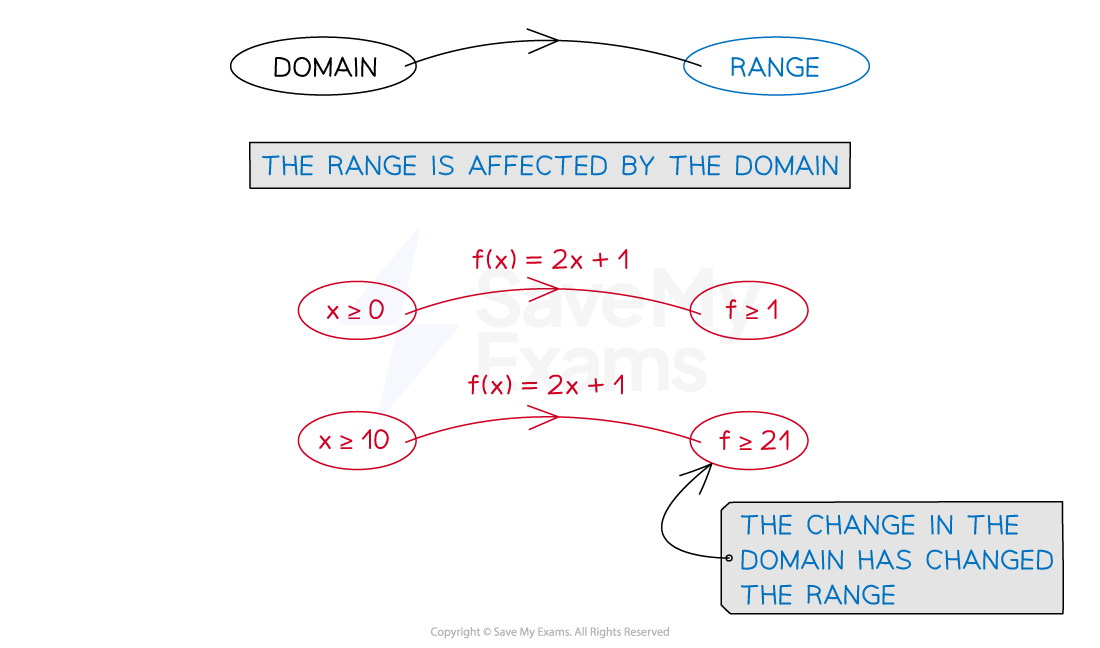
The type of values in the range depend on the domain
How do I find a range from a given domain?
The domain of a function is the set of values that are used as inputs
The range of a function is the set of values that are given as outputs
Finding the range of a function involves determining all possible output values from a given domain
This may need to be done by calculating each output value individually by applying the function to each input value
Or by considering the shape or pattern of the function
To graph a function we use the inputs as the x-coordinates and the outputs as the y-coordinates
corresponds to the coordinates (2, 5)
Graphing the function can help you visualise the range
For example the range of the function for a domain of all real values of will be as the y-coordinates on the graph are all greater than or equal to zero
The Modulus Function
The modulus function
What is the modulus function?
The modulus function makes any 'input' positive
This is sometimes called the absolute value (of the input)
The modulus function is indicated by a pair of vertical lines being written around the input
Similar to how brackets are used
e.g.
What is the relationship between a function and its modulus?
For an 'output' such that , then
Both the function and its modulus are positive
For an 'output' such that , then
The function value is negative, but its modulus is positive